
Properties #
As previously mentioned, the Ground Central can send up to five MIDI messages simultaneously per Satellite. To configure what each message sends, ensure at least one Satellite is paired. Then, tap the three dots on your Satellite view and navigate to MIDI Configuration.
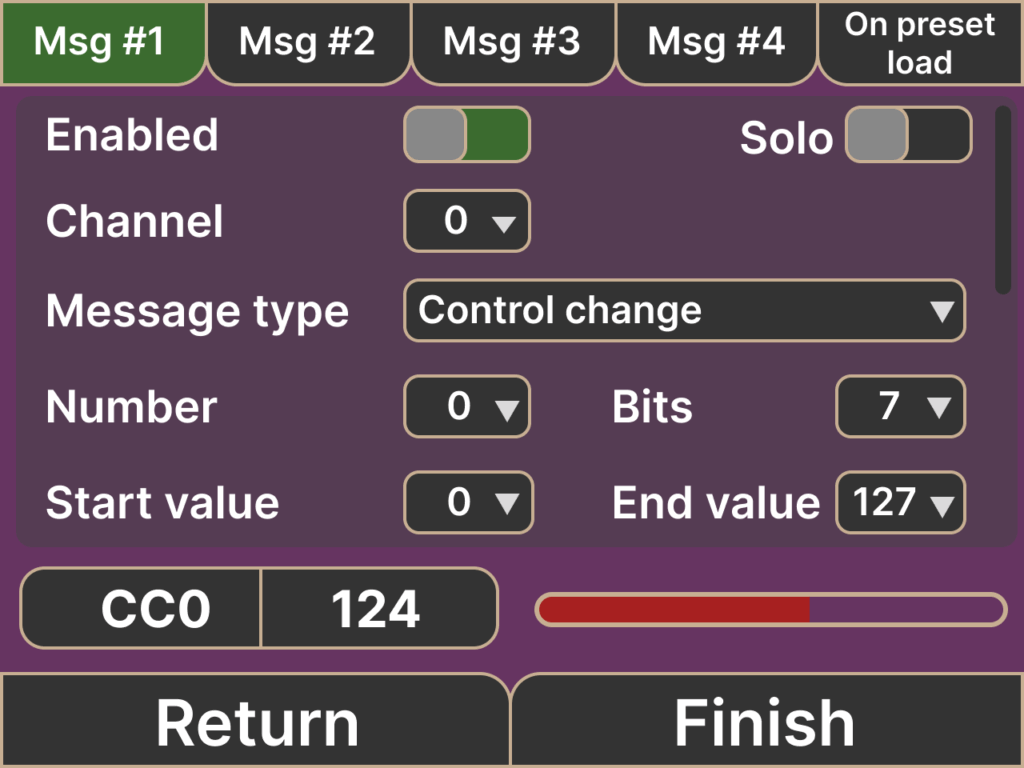
At the top of this screen, you’ll see tabs for each MIDI message. Tap or swipe to access each message slot.
Each MIDI message includes the following settings:
- Enable/Disable toggle
- Solo toggle
- Isolates the MIDI message by temporarily muting all other enabled MIDI messages.
- MIDI Channel (dropdown menu)
- Control Input options:
- Roll
- Up/Down
- Left/Right
- Acceleration
- Rotation
- Message Type:
- Note On (and Arpeggio)
- Control Change
- Program Change
- Pitch Bend
- Custom parameters, depending on the selected Message Type
Example #
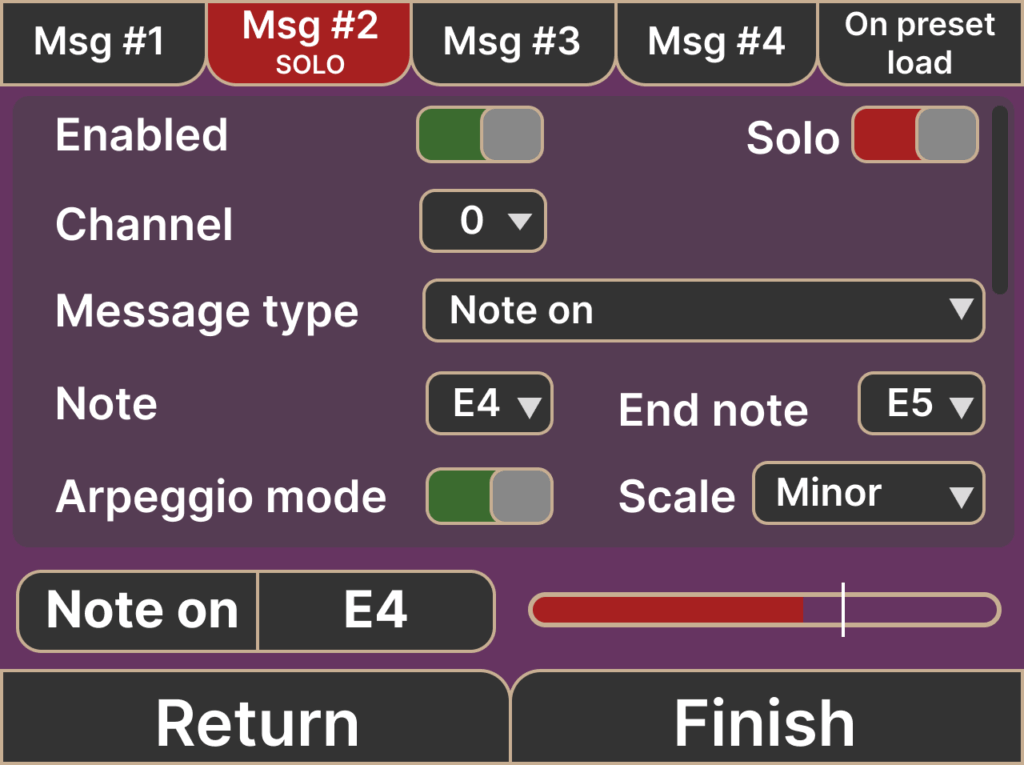
Let’s say we want to send a Control Change (CC) message to a digital pedalboard. We know that selecting the next preset is triggered by CC#7, value 15, on channel 1. Here’s how to set it up:
- Enable Message #1 in Ground Central.
- Set the Message Type to Control Change.
- Set Channel to 1, Number to 7, and Value to 15.
- To control preset selection by rolling your hand, set the Control Input to Roll.
And that’s it!