
Welcome to the official release page of the Constellation software.
We hope you enjoy the experience!
Need assistance? Contact us at join our growing community on Discord by clicking here to chat with us and other users in real time or drop us a line at support@mjpaudiodesigns.com.
Constellation v1.0.1 (1fd1db6) #
June 5, 2026
Upgrade procedure #
- Uncompress constellation_v1.0.1.zip.
- Open the MJP Remote app located inside the Remote app folder.
- Connect the Ground Central to your computer via the supplied USB-C cable.
- ⚠️ Turn only the Pink Satellite on – The rest of the Satellites should be powered off.
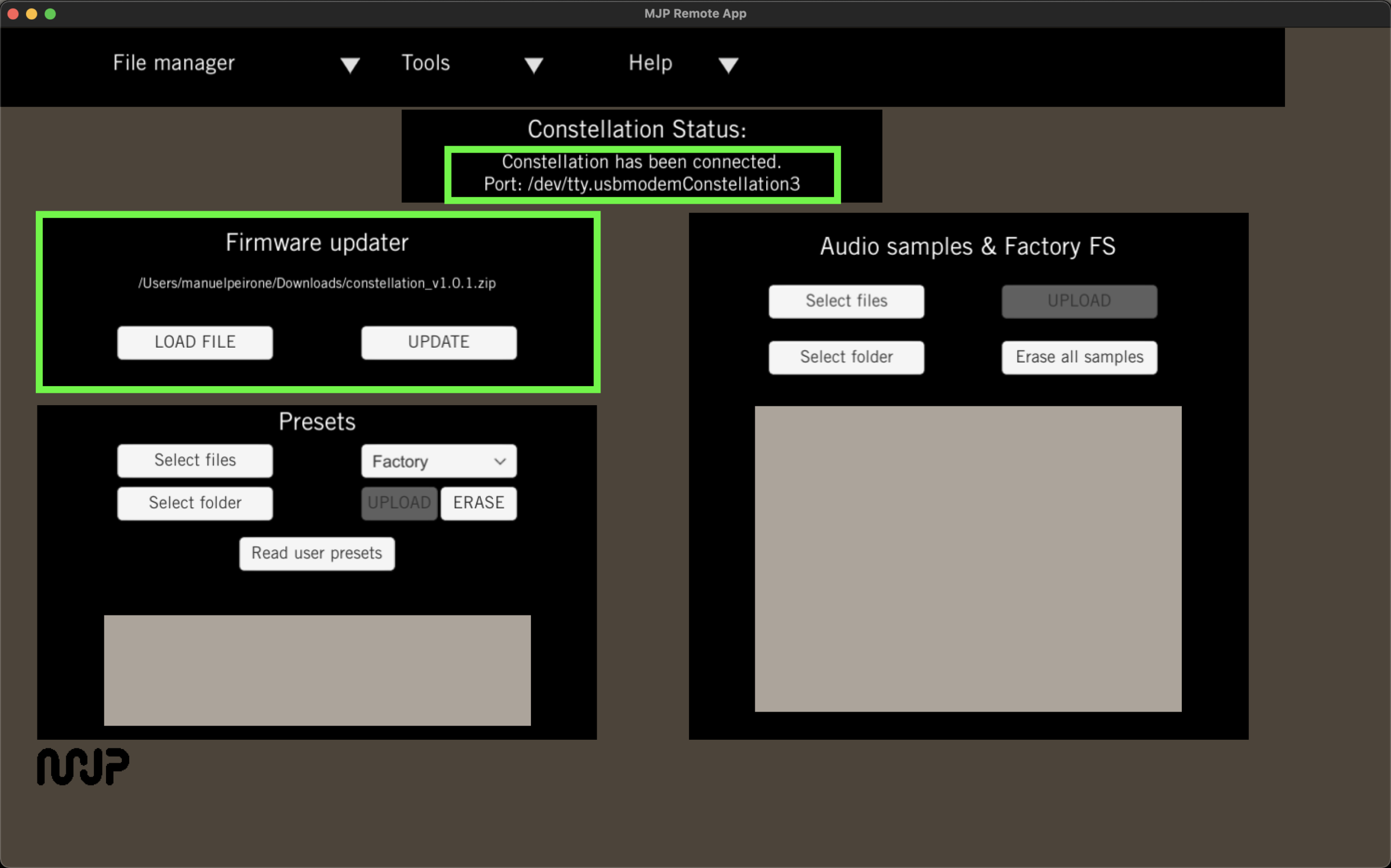
- In the Firmware Updater section, select constellation_v1.0.1.zip and click on UPDATE:
- ⚠️ Only if running firmware v1.0.0 – If you have more than one Satellite, turn the rest of the Satellites on, one at a time while the rest is off, and run the Step #6 again until all Satellites have been updated.
Change log #
New features #
- Low-latency USB recording and playback.
- Support to update several Satellites simultaneously – ⚠️ If running version v1.0.0 please make sure to update one Satellite at a time while the others are off. Once v1.0.1 is running, future updates will allow you to keep all Satellites on while updating the system.
Fixes / Improvements #
- Sliders are easier to drag.
- Parameters in Digital Reverb and Delay are now in the same order.
Constellation v1.0.0 (886fdd4) #
March 27, 2026
We’re excited to launch the first official release of the Constellation software. We truly hope you enjoy the experience!