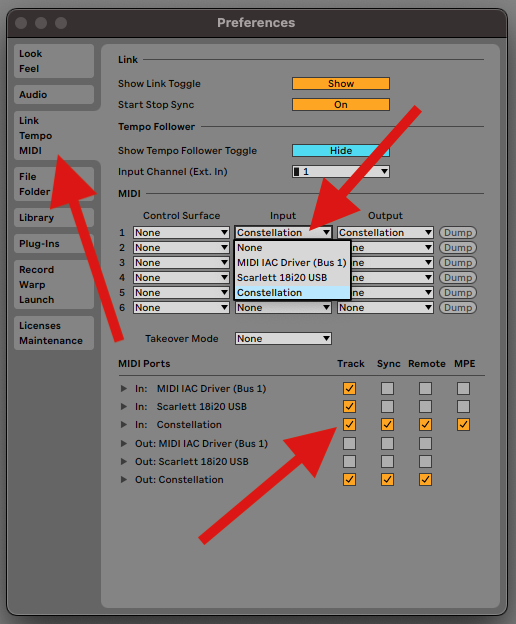
To control parameters in Ableton Live using Constellation, you first need to enable it as a MIDI device within the DAW’s preferences.
- Open Ableton Live.
- Navigate to Live → Preferences → Link / MIDI.
- In the MIDI Ports section, locate your Constellation external MIDI device.
- Enable it as both an Input and Output device.
You can configure each port with options such as:
- Track – to record or play MIDI clips
- Sync – to sync tempo and playback
- Remote – to control Live parameters
- MPE – for multi-dimensional expression (optional, depending on use case)
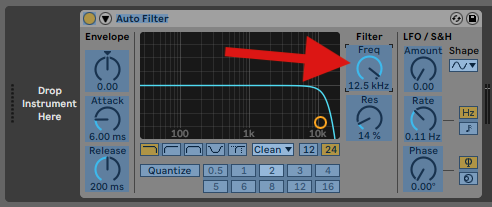
To assign a Satellite motion to plugin or instrument parameters:
- Enable MIDI Map Mode by clicking the MIDI button in the top right corner of Ableton.
- Click on any parameter you wish to control.
- Move or rotate the Satellite to send motion data via MIDI.
The mapping will be assigned automatically. Exit MIDI Map Mode when you’re done, and start performing with motion-based control.